This feature allows you to manage access permissions for a profile/role.A role groups users with commonalities e.g accountant,network admin,customer support staff ,subscribers etc.
Navigate administration -> security setup -> roles
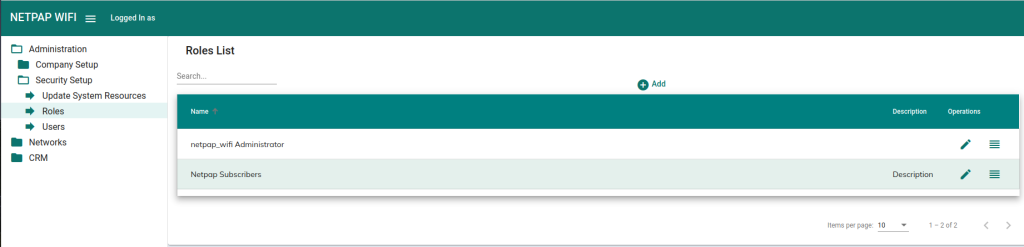
Click the button on the far right.
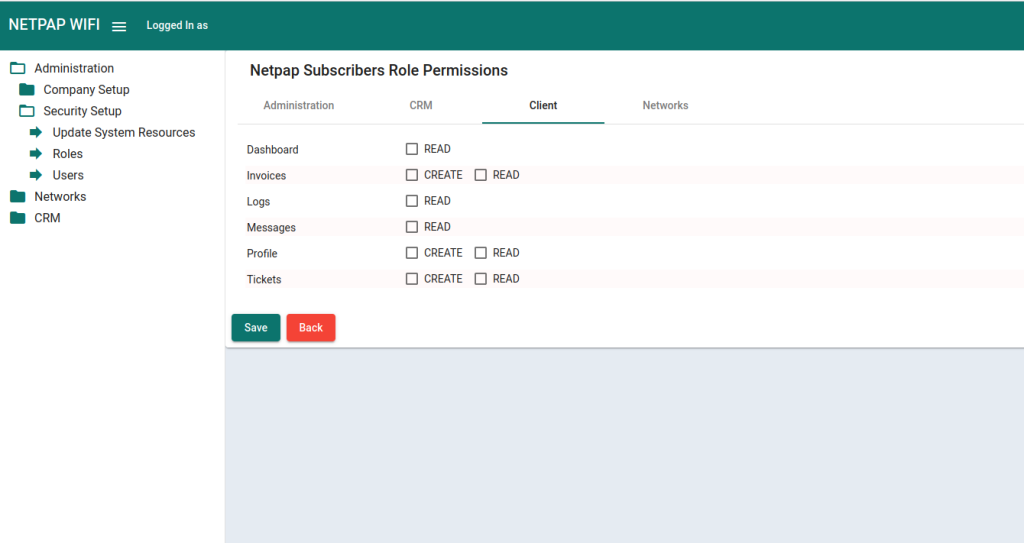
Navigate to Client tab.
Tick all the permissions under this tab.
Click save.
Allow the subscribers to login.
Login credentials. #
Hotspot customers,Initial login credentials
Phone number and the passcode.
PPOE/DHCP/STATIC.
username and passcode.


 English