Navigate to administration ->security setup – Update system resources/Update account and click update button.
Navigate to the roles section and select role e.g administrators that should be allowed to reverse transactions.Click permissions ICON on the far right.
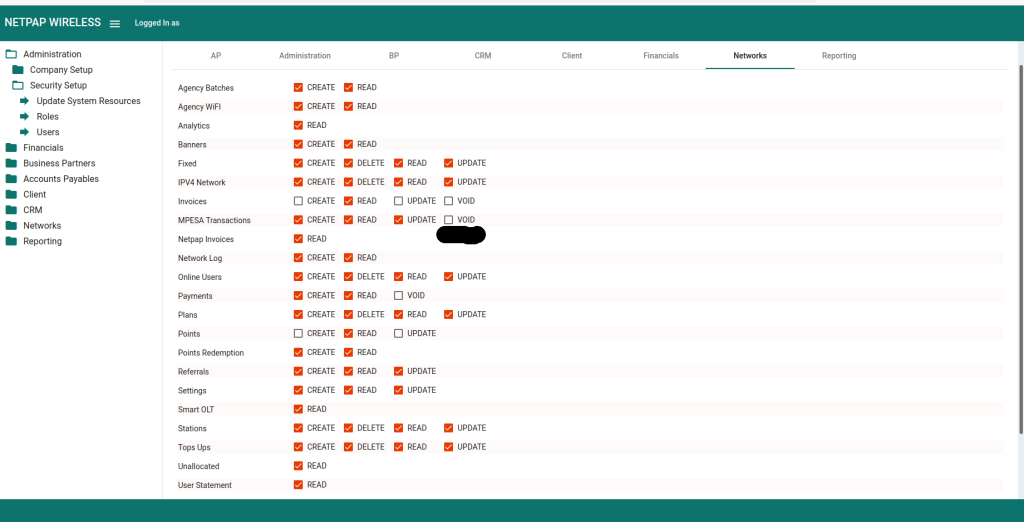
Select the Networks tab under permissions detail.
Navigate to the mpesa transactions permissions management.
Select and tick VOID permissions.
Click save
Ensure staff users under that role,log out and log in
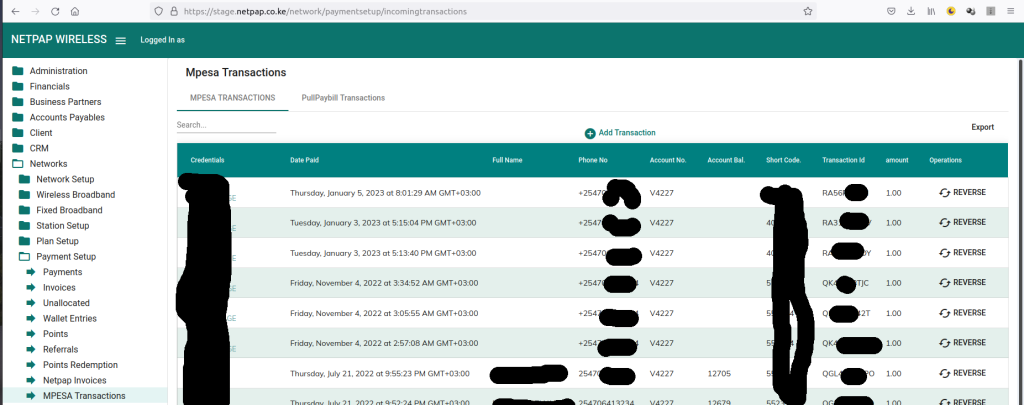
Navigate to Networks -> Payment Setup -> M-PESA Transactions. ->A reverse button on the far right has appeared


 English