Download the openvpn ovpn profile. e.g mikrotik.ovpn
Ensure tls and tls cert are removed,lzo compression and openvpn supports tcp.
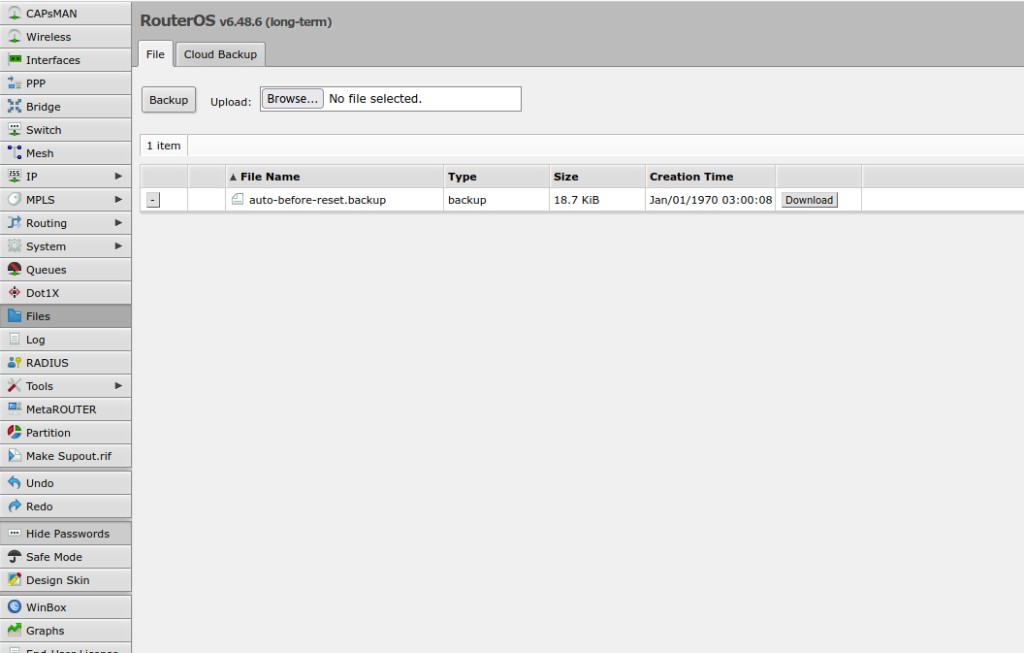
Navigate to mikrotik and click files
Click upload files
Click system > certificates ->Click Import
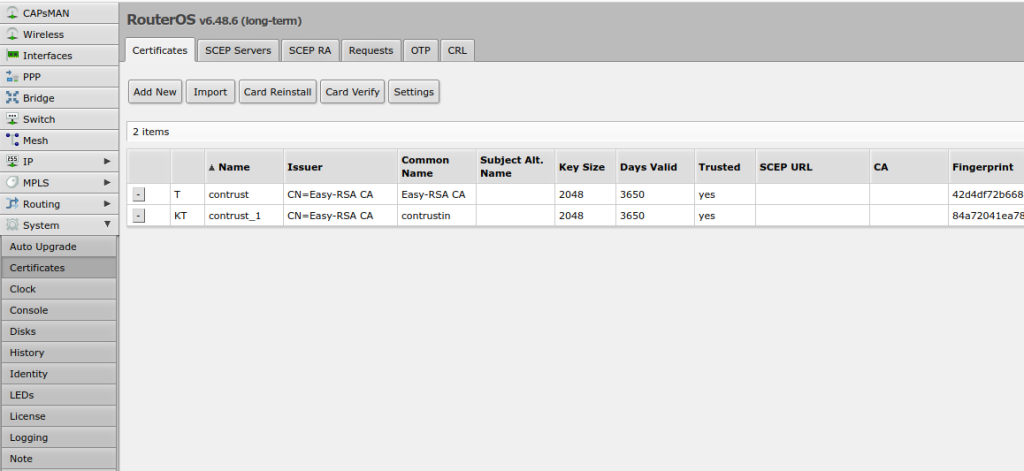
The import file will import the certificates.
Create a VPN profile.
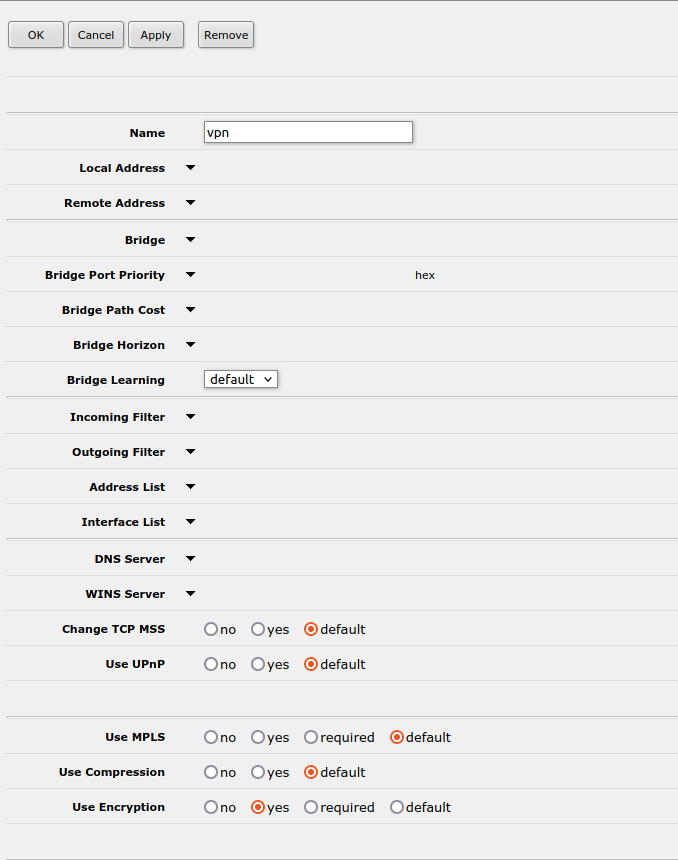
Navigate to ppp -> profiles ->Click Add New.
Ensure you give profile a name and enable encryption.Leave other features in default state.
Create OVPN Client
Navigate to ppp -> interfaces ->Click add new ->Select ovpn client
Specify an arbitrary name for the client name.
Connect to:Specify openvpn server ip,available in the ip
port:Specify openvpn port
user:The ovpn profile name used increation of the openvpn client
profile:Specify the profile specified in the previous step.
mode:Specify ip
password:Leave password field blank.
Certificate:Specify the certificate identified with an underscore 1 or KT
Specifiy auth as sha1 and cipher as aes 256
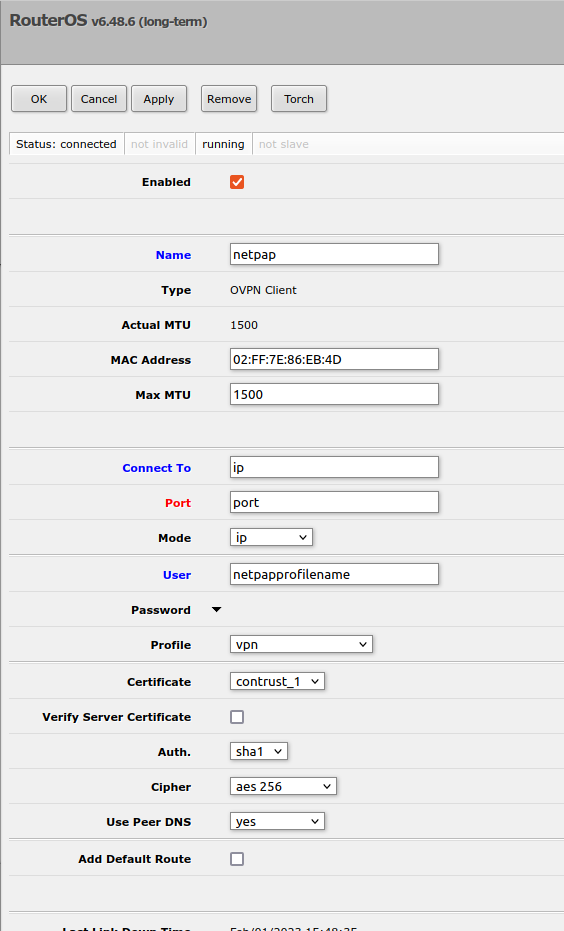
The mikrotik should be able to connect to the vpn server.
 English